
Smart Time Calculator
Calculate future or past times using minutes, hours, days, weeks, months, or years. You can also calculate the exact difference between two dates.
Quick Calculations
Calculation Result
Months and years are calculated on the server using calendar-based date rules.
Smart Time Calculator
Time looks simple until you need an exact answer fast. What time will it be 45 minutes from now? How many hours are left before a meeting? What date comes 90 days after today? A Smart Time Calculator helps students, remote workers, freelancers, parents, project managers, shift workers, travelers, and everyday users calculate hours, minutes, dates, and time differences without manual counting. This matters because time calculations affect work schedules, class deadlines, reminders, billing, travel plans, fasting times, medicine schedules, event countdowns, and daily productivity. Research also shows how central time planning is in real life: the U.S. Bureau of Labor Statistics reported that full-time employed people averaged 8.4 hours of work on weekdays they worked in 2024, which makes accurate time tracking useful for millions of people managing busy schedules.
A Smart Time Calculator is a free online tool that helps you calculate hours from now, minutes from now, time before now, custom dates, and date differences instantly. Instead of adding or subtracting time manually, you enter your value, such as 30 minutes, 8 hours, 14 days, or two dates, and the calculator gives the exact result within seconds.
Calculate Hours, Minutes & Dates Instantly
A Smart Time Calculator is built for one main purpose: to make time math simple. It lets you calculate future time, past time, total duration, date gaps, and custom date results in a clean and quick way.
Many people search for time answers in simple phrases like:
- “What time will it be in 30 minutes?”
- “What is 8 hours from now?”
- “What time was it 45 minutes ago?”
- “How many days are between two dates?”
- “What date is 60 days from today?”
These questions sound small, but they appear all day in work, study, travel, fitness, project planning, and personal routines.
“A good time calculator does not just save seconds. It prevents small timing mistakes from becoming missed calls, late tasks, wrong logs, or confused deadlines.”
What Is a Smart Time Calculator?
A Smart Time Calculator is an online time and date tool that can add, subtract, compare, and convert time values. It helps users calculate:
- Hours from now
- Minutes from now
- Time before now
- Days from today
- Date differences
- Time duration between two times
- Custom start and end dates
- Hours and minutes totals
Trusted time and date tools commonly support adding or subtracting seconds, minutes, hours, days, weeks, months, and years from a date or time, which matches the main use case of smart time calculation.
Why Do People Need a Smart Time Calculator?
People need it because manual time math is easy to get wrong. The clock does not work like regular decimal numbers. One hour has 60 minutes, not 100. A day has 24 hours. A week has 7 days. Months can have 28, 29, 30, or 31 days. A leap year has 366 days instead of 365.
That means a simple-looking question like “What time is 145 minutes from now?” takes extra steps if you do it manually. A calculator gives the answer instantly.
Who Is Smart Time Calculator For?
Smart Time Calculator is useful for anyone who plans, tracks, studies, works, travels, teaches, or manages deadlines.
| Audience | Common Need | Example Search |
|---|---|---|
| Students | Assignment and exam timing | “90 minutes from now” |
| Freelancers | Work logs and client billing | “total hours worked” |
| Employees | Shift timing and breaks | “8 hours from now” |
| Project managers | Date gaps and deadlines | “45 days from today” |
| Parents | School pickups and routines | “20 minutes from now” |
| Travelers | Flight and layover timing | “time difference calculator” |
| Content creators | Video length and publishing | “hours and minutes calculator” |
| Fitness users | Workout and rest timing | “time before now” |
Calculate Hours From Now
The hours from now calculator helps you find the exact time after adding a certain number of hours to the current time.
For example, if it is 10:00 AM and you add 6 hours, the result is 4:00 PM. If you add 30 hours, the calculator moves into the next day and gives the correct date and time.
Common Uses for Hours From Now
Work and Shift Planning
Employees can use it to calculate when a shift ends. If someone starts work at 9:00 AM and has an 8-hour shift, the calculator shows the ending time quickly.
Medication and Health Reminders
Some medicines need to be taken every 4, 6, 8, or 12 hours. A time calculator helps users find the next dose time without guessing.
Travel and Pickup Times
If your bus leaves in 5 hours or your flight boarding starts in 3 hours, the tool helps you calculate the exact clock time.
Online Meetings
Remote workers often need to calculate meeting times, countdowns, and breaks. For people working across time zones, clear time calculation helps avoid confusion.
Example: Hours From Now
| Current Time | Add Hours | Result |
|---|---|---|
| 9:00 AM | 2 hours | 11:00 AM |
| 1:30 PM | 5 hours | 6:30 PM |
| 10:15 PM | 4 hours | 2:15 AM next day |
| 8:00 AM | 24 hours | 8:00 AM next day |
| 6:45 PM | 30 hours | 12:45 AM after next day |
Calculate Minutes From Now
The minutes from now calculator is useful when the time gap is short. People often use it for reminders, cooking, calls, meetings, workouts, online classes, and delivery tracking.
Searches like “15 minutes from now,” “30 minutes from now,” and “90 minutes from now” are common because they solve daily timing questions quickly.
Why Minutes Are Easy to Miscalculate
Minutes become confusing when they cross into the next hour. For example, 75 minutes is not “1.75 hours” in clock format. It is 1 hour and 15 minutes. That is why a calculator is better than mental math for fast results.
Common Minute-Based Calculations
15 Minutes From Now
Useful for short reminders, tea breaks, online class joining times, or quick calls.
30 Minutes From Now
Common for lunch breaks, delivery estimates, study sessions, and meeting reminders.
45 Minutes From Now
Helpful for cooking, gym sessions, travel pickup timing, and task blocks.
90 Minutes From Now
Often used for movie duration, focused work, study planning, or sleep-cycle reminders.
Calculate Time Before Now
The time before now calculator works in reverse. Instead of asking what time it will be later, you ask what time it was earlier.
For example:
- What time was it 20 minutes ago?
- What time was it 3 hours ago?
- What time was it 2 days and 6 hours ago?
- What date was it 90 days ago?
This is useful when checking logs, reports, screenshots, transaction times, security alerts, reminders, or recent activity.
Time Before Now for Work Logs
Freelancers and employees can use this feature when they forgot to note their start time. If you finished a task now and it took 2 hours and 30 minutes, the calculator can help estimate the starting time.
Time Before Now for Online Activity
If an app says something happened 40 minutes ago, you can calculate the actual time. This helps when checking messages, updates, delivery status, or order activity.
Time Before Now for Study and Daily Tasks
Students can calculate when they started a class, how long they studied, or how much time passed after a test, lecture, or assignment session.
Date Difference Calculator
A date difference calculator tells you how much time exists between two dates. This can include days, weeks, months, years, hours, minutes, and seconds depending on the tool.
Timeanddate describes this type of tool as a way to calculate the elapsed time or difference between two dates with time included.
What Can You Calculate Between Two Dates?
You can calculate:
- Total days between two dates
- Weeks between two dates
- Months and years between dates
- Time duration between two dates and times
- Countdown until an event
- Time passed since a past date
Date Difference Examples
| Start Date | End Date | What You Can Find |
|---|---|---|
| January 1 | January 31 | Number of days in the period |
| Today | Exam date | Days left to prepare |
| Project start | Project deadline | Total project duration |
| Birth date | Today | Age or days lived |
| Invoice date | Payment date | Payment delay duration |
Why Date Difference Matters
Date difference is useful for deadlines, legal dates, invoices, school calendars, subscription periods, employee leave, travel plans, and project timelines. Project planning often depends on knowing how far one milestone is from another, and date gaps make that planning easier.
Custom Date Calculator
A custom date calculator lets you add or subtract time from any date, not only from today. This is useful when your planning starts from a specific date.
For example:
- 30 days after a contract signing date
- 14 days before a travel date
- 90 days after a project launch
- 6 months after a joining date
- 21 days before an exam
Add Days to a Date
If you need to know what date comes after 7, 30, 60, 90, or 180 days, the calculator gives a fast answer.
Subtract Days From a Date
If you need to plan backward from a deadline, subtracting days helps. For example, if your exam is on June 20 and you want a 30-day study plan, subtract 30 days to find your starting date.
Add Hours and Minutes to a Custom Date
Some tasks need date and time together. For example, if a 48-hour deadline starts at 3:15 PM on Monday, the result is not just “Wednesday.” You also need the exact time.
Hours and Minutes Calculator
An hours and minutes calculator helps you add or subtract time durations. It is useful when you are not focused on a calendar date but on total time.
Calculator tools commonly handle time duration between two times and can show results in hours, minutes, and seconds.
Example: Adding Hours and Minutes
| Task | Duration |
|---|---|
| Writing | 1 hour 25 minutes |
| Editing | 45 minutes |
| Research | 2 hours 10 minutes |
| Total | 4 hours 20 minutes |
Without a calculator, adding these values can take time because minutes must be converted correctly after reaching 60.
Best Uses for Hours and Minutes Calculation
Payroll and Timesheets
Workers can calculate total hours from start and end times. Freelancers can also use it to prepare client invoices.
Study Sessions
Students can add multiple study blocks and find their total study time for the day.
Fitness and Training
Runners, gym users, and coaches can track workout duration, rest periods, and total training time.
Content Planning
Podcasters, video editors, and creators can add segments to estimate total episode or video length.
Add or Subtract Time From a Date
A Smart Time Calculator can work as an add time calculator or subtract time calculator. You can add time when planning forward or subtract time when planning backward.
Add Time When Planning Forward
Use this when you know your starting point and want the result.
Examples:
- 8 hours from now
- 3 days from today
- 2 weeks after Monday
- 45 minutes after 7:15 PM
- 6 months after a joining date
Subtract Time When Planning Backward
Use this when you know the final point and need the starting point.
Examples:
- 30 days before a deadline
- 4 hours before a flight
- 15 minutes before a meeting
- 90 days before a renewal date
- 2 weeks before an exam
Why Smart Time Calculator Is More Accurate Than Manual Counting
Manual time counting can work for small values, but it gets harder when you cross hours, days, months, or daylight saving time changes.
The International Organization for Standardization explains that ISO 8601 helps create clear date and time formats that are understandable across countries, systems, and time zones. This matters because different date formats can create confusion, especially when users read dates like 03/04/2026 differently by region.
Manual Time Math Problems
60-Minute Confusion
People may accidentally treat minutes like decimals. For example, 1 hour and 50 minutes plus 30 minutes is 2 hours and 20 minutes, not 1.80 hours.
AM and PM Mistakes
A calculation that crosses noon or midnight can confuse users. For example, 11:30 PM plus 2 hours becomes 1:30 AM the next day.
Month Length Differences
Adding 30 days is not always the same as adding one calendar month because months have different lengths.
Leap Year Errors
Leap years add one extra day to February. This can affect long-range date calculations.
Daylight Saving Time Issues
Daylight saving time can shift clocks by one hour in many regions. NIST notes that daylight saving time is the part of the year when clocks are advanced by one hour, changing the relationship between clock time and daylight.
Main Features of Smart Time Calculator
A strong Smart Time Calculator should be quick, simple, mobile-friendly, and clear. Users want answers without reading long instructions.
1. Hours From Now Calculator
This feature calculates the exact time after adding hours to the current time.
2. Minutes From Now Calculator
This feature is best for short-term reminders, breaks, cooking, meetings, and quick tasks.
3. Time Before Now Calculator
This feature subtracts hours, minutes, or days from the current time to find a past time.
4. Date Difference Calculator
This feature calculates the number of days, weeks, months, or years between two dates.
5. Custom Date Calculator
This feature lets users choose a starting date and add or subtract days, months, years, hours, or minutes.
6. Time Duration Calculator
This feature calculates how much time passed between two times or two date-time points.
7. Clean Results
The result should be easy to read, copy, and use. A good output avoids clutter and gives the answer directly.
How to Use Smart Time Calculator
Using Smart Time Calculator is simple. You do not need formulas, spreadsheets, or manual conversions.
Step 1: Choose What You Want to Calculate
Pick the calculation type:
- Hours from now
- Minutes from now
- Time before now
- Date difference
- Custom date
- Time duration
Step 2: Enter Your Time Value
Add the number of hours, minutes, days, weeks, months, or years.
Step 3: Select the Direction
Choose whether you want to add time or subtract time.
Step 4: Check the Result
The calculator will show the exact result instantly.
Step 5: Use the Result
Copy the time into your schedule, calendar, reminder, invoice, work log, travel plan, or study timetable.
Smart Time Calculator Examples
Here are practical examples that match common user searches.
| User Question | Calculator Type | Result Style |
|---|---|---|
| What time is 2 hours from now? | Hours from now | Exact future time |
| What time is 45 minutes from now? | Minutes from now | Exact future time |
| What time was it 3 hours ago? | Time before now | Exact past time |
| How many days until my exam? | Date difference | Total days left |
| What date is 90 days from today? | Custom date | Future calendar date |
| How long between 9:15 AM and 5:45 PM? | Time duration | Total hours and minutes |
| What date was 30 days ago? | Time before now | Past calendar date |
Smart Time Calculator for Work and Productivity
Time calculators are especially useful for work because modern schedules are full of meetings, deadlines, time blocks, and reporting. The American Time Use Survey provides nationally representative data on how people spend time, including paid work, household activities, childcare, volunteering, and social activities.
For Employees
Employees can calculate shift endings, break times, overtime, and daily work duration.
For Freelancers
Freelancers can calculate billable hours, task duration, and client work logs.
For Managers
Managers can calculate milestone gaps, follow-up dates, task deadlines, and project timelines.
For Remote Teams
Remote teams can calculate meeting countdowns, time blocks, and deadline windows more clearly.
Smart Time Calculator for Students
Students often work with exact time limits. Exams, online classes, assignments, project submissions, and study blocks all depend on time planning.
Study Timer Planning
A student can calculate 45-minute study blocks, 15-minute breaks, or 2-hour revision sessions.
Assignment Deadlines
If an assignment is due in 10 days, the student can calculate how many days remain and plan backward.
Exam Countdown
A date difference calculator helps students see how much preparation time is left before the exam.
Smart Time Calculator for Daily Life
A Smart Time Calculator is not only for work. It also helps with everyday routines.
Cooking and Kitchen Timing
Recipes often require 20, 35, or 90 minutes. A minutes from now calculator shows the finish time.
Appointments and Reminders
You can calculate when to leave home, when to make a call, or when to start getting ready.
Fitness and Health
Workout intervals, rest periods, fasting windows, and medicine reminders become easier to manage.
Family Scheduling
Parents can calculate school pickup times, activity schedules, nap times, and travel preparation time.
Time Calculation Tips for Better Accuracy
Use the Right Input Format
Use clear time values like 2 hours, 45 minutes, 7 days, or 90 days. For dates, use a clear format such as year-month-day where possible. ISO says its date and time format helps avoid confusion caused by different day-date conventions across cultures and time zones.
Check AM and PM
Always check whether your result is in the morning or evening.
Watch for Midnight
If your time crosses midnight, the date changes. A calculator should show the next day clearly.
Use Date and Time Together for Deadlines
For serious deadlines, do not calculate only the date. Include the exact time as well.
Consider Time Zones When Needed
If you are planning across countries, check the time zone. NIST explains that time zone boundaries and daylight saving rules can affect local civil time.
Smart Time Calculator vs Manual Calculation
| Feature | Manual Calculation | Smart Time Calculator |
|---|---|---|
| Speed | Slower for large values | Instant |
| Accuracy | Easy to miscount | More reliable |
| Date support | Harder with months | Simple |
| Past time | Requires reverse math | Quick |
| Future time | Requires manual addition | Quick |
| User effort | Higher | Lower |
| Best for | Very small calculations | Daily, work, study, and date planning |
Manual calculation is fine for simple values like 10 minutes from now. But for larger values, date differences, work hours, or deadline planning, a calculator is faster and safer.
FAQs About Smart Time Calculator
What is a Smart Time Calculator?
A Smart Time Calculator is an online tool that calculates hours, minutes, dates, past time, future time, and date differences. It helps users avoid manual time math and get fast results.
How do I calculate hours from now?
Enter the number of hours you want to add to the current time. The calculator will show the exact future time and date if the result crosses midnight.
How do I calculate minutes from now?
Type the number of minutes, such as 15, 30, 45, or 90. The calculator adds those minutes to the current time and shows the result instantly.
Can I calculate time before now?
Yes. Use the time before now option. Enter hours, minutes, or days, and the calculator will subtract that value from the current time.
What is a date difference calculator?
A date difference calculator finds the gap between two dates. It can show the result in days, weeks, months, years, or a full time duration.
Can I add days to a custom date?
Yes. A custom date calculator lets you choose any start date and add days, weeks, months, or years to find the final date.
Can I subtract days from a future date?
Yes. This is useful for planning backward from deadlines, exams, renewals, trips, launches, and appointments.
Is Smart Time Calculator free to use?
Yes. Smart Time Calculator is designed to be free, fast, and easy to use for everyday time and date calculations.
Why is manual time calculation confusing?
Manual time math can be confusing because hours use 60 minutes, days use 24 hours, and months have different lengths. A calculator handles these conversions faster.
Who should use Smart Time Calculator?
Students, workers, freelancers, managers, parents, travelers, fitness users, and anyone who needs quick time or date answers can use it.
Summary
A Smart Time Calculator is a simple but powerful tool for calculating hours, minutes, dates, time before now, hours from now, minutes from now, custom dates, and date differences. It is helpful for work, study, travel, health, family routines, billing, project planning, and daily reminders. Instead of counting manually and risking mistakes, users can enter a value and get an instant answer. For anyone who wants a free, fast, and easy way to manage time better, Smart Time Calculator is a practical tool worth using every day.
Calculate Time Instantly With Smart Time Calculator
Need to know what time it will be hours from now or how much time is left between two dates? Use our free time calculator to get quick, clear, and accurate results for daily planning, work schedules, reminders, and deadlines.
★★★★★
Top rated by 100+ clients
Fast results. Simple layout. No login required.
Get instant results for 2 hours, 8 hours, 24 hours, 48 hours, 72 hours, or any custom time value.
Plan Your Day With Smarter Time Calculations
Time questions come up all day. You may need to check when a deadline ends, when a meeting starts, how long a trip will take, or what time a reminder should be set. Smart Time Calculator helps you get the exact answer without guessing.
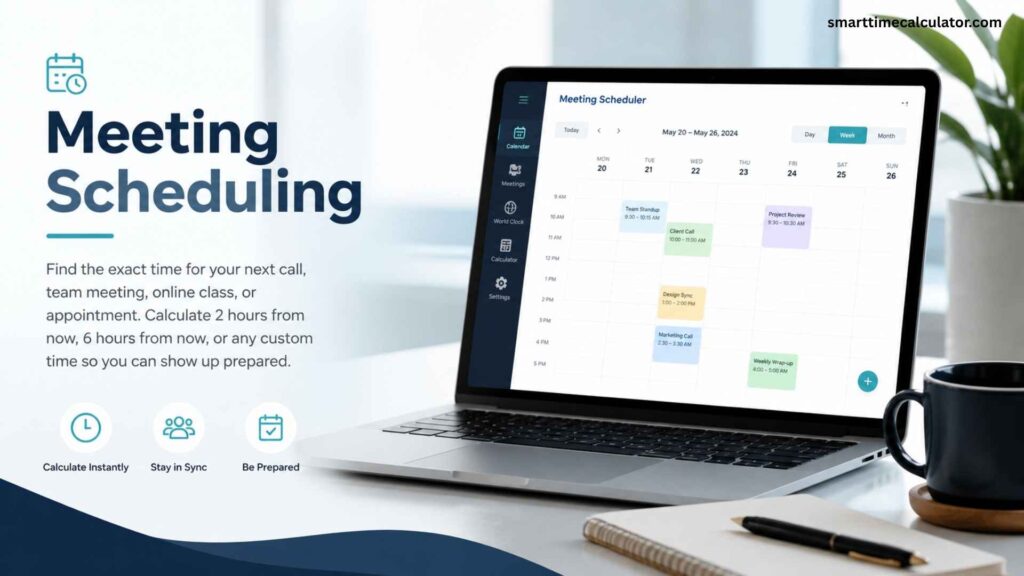
Meeting Scheduling
Find the exact time for your next call, team meeting, online class, or appointment. Calculate 2 hours from now, 6 hours from now, or any custom time so you can show up prepared.

Deadline Tracking
Know exactly when a 24-hour, 48-hour, or 72-hour deadline ends. This is helpful for work tasks, school assignments, client submissions, online orders, and project timelines.

Travel Planning
Plan flights, layovers, road trips, hotel check-ins, and arrival times with clear time results. Use the calculator when your travel timing crosses midnight or moves into the next day.
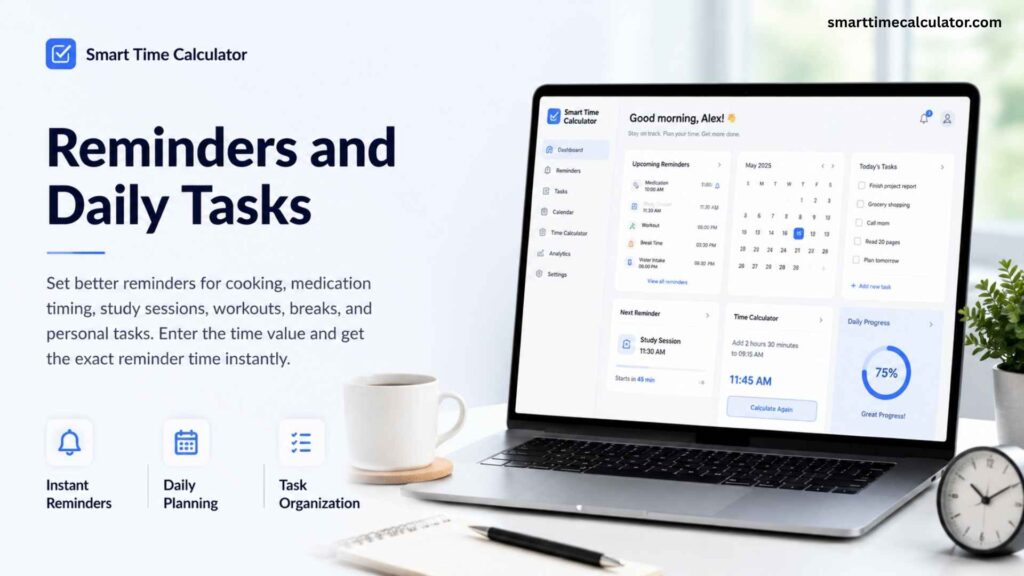
Reminders and Daily Tasks
Set better reminders for cooking, medication timing, study sessions, workouts, breaks, and personal tasks. Enter the time value and get the exact reminder time instantly.
Stay Timely, Stay Organized
Join our email list for practical time planning tips, new calculator features, and quick guides that help you manage deadlines, reminders, and schedules with less stress.
*You can unsubscribe anytime. We only send helpful updates.